Secure Data Rooms. Zero Data Room Tax.
M&A, legal proceedings, board materials - all within your Microsoft 365 tenant. No per-user fees. Full sovereignty.
Traditional VDRs Are Broken
Per-user pricing that explodes with deal complexity. Data extracted to third-party servers. Separate logins that frustrate guests. Limited governance once the deal closes. Govern 365 Vault is different.
How It Works
Create the room
Backed by SharePoint libraries you already manage. Add folders, apply sensitivity labels.
Invite guests
Send invite links — no O365 license required. OTP authenticates at first access.
Guests browse securely
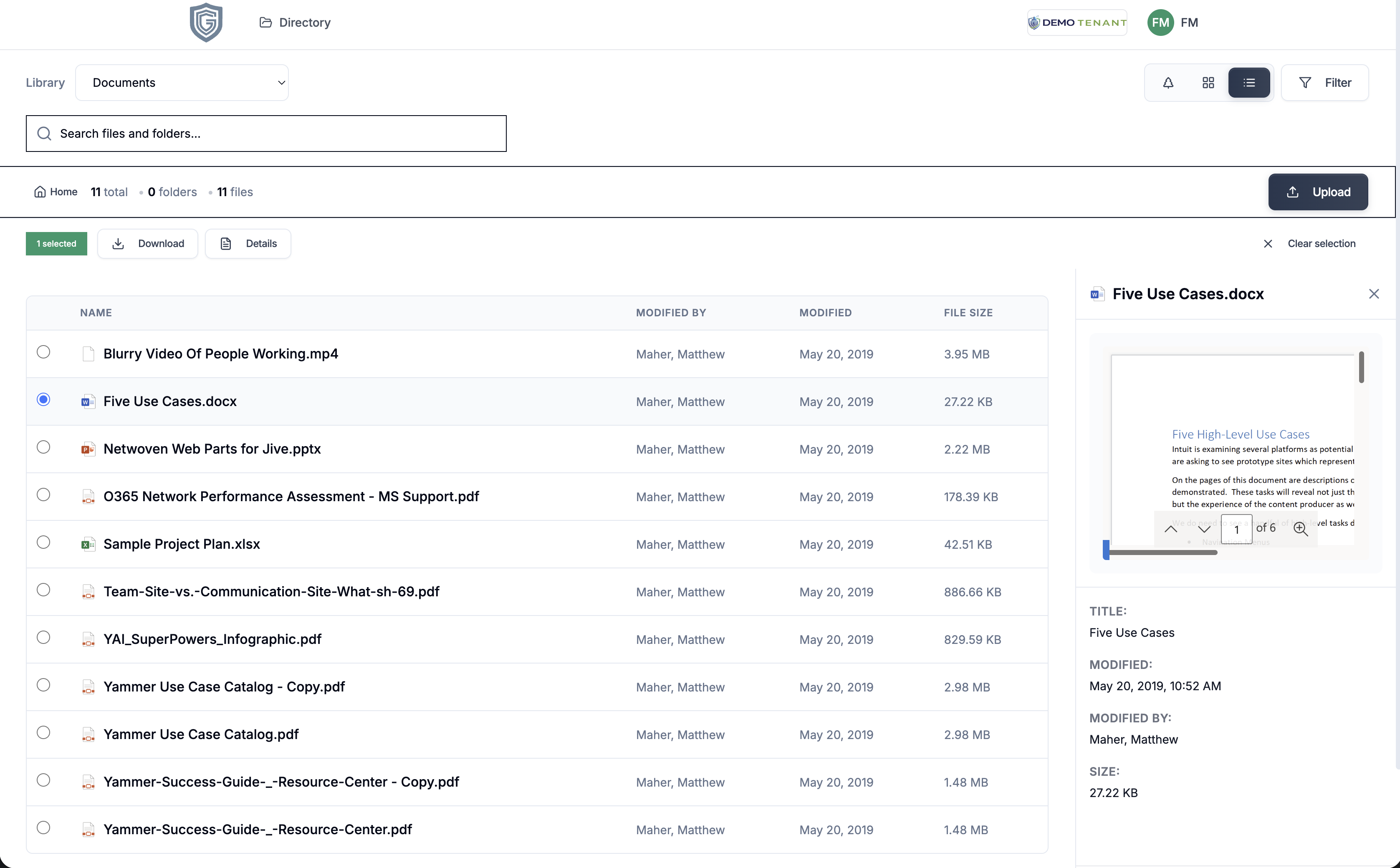
View documents with watermarking. Download only where permitted. Every action logged.
Audit and archive
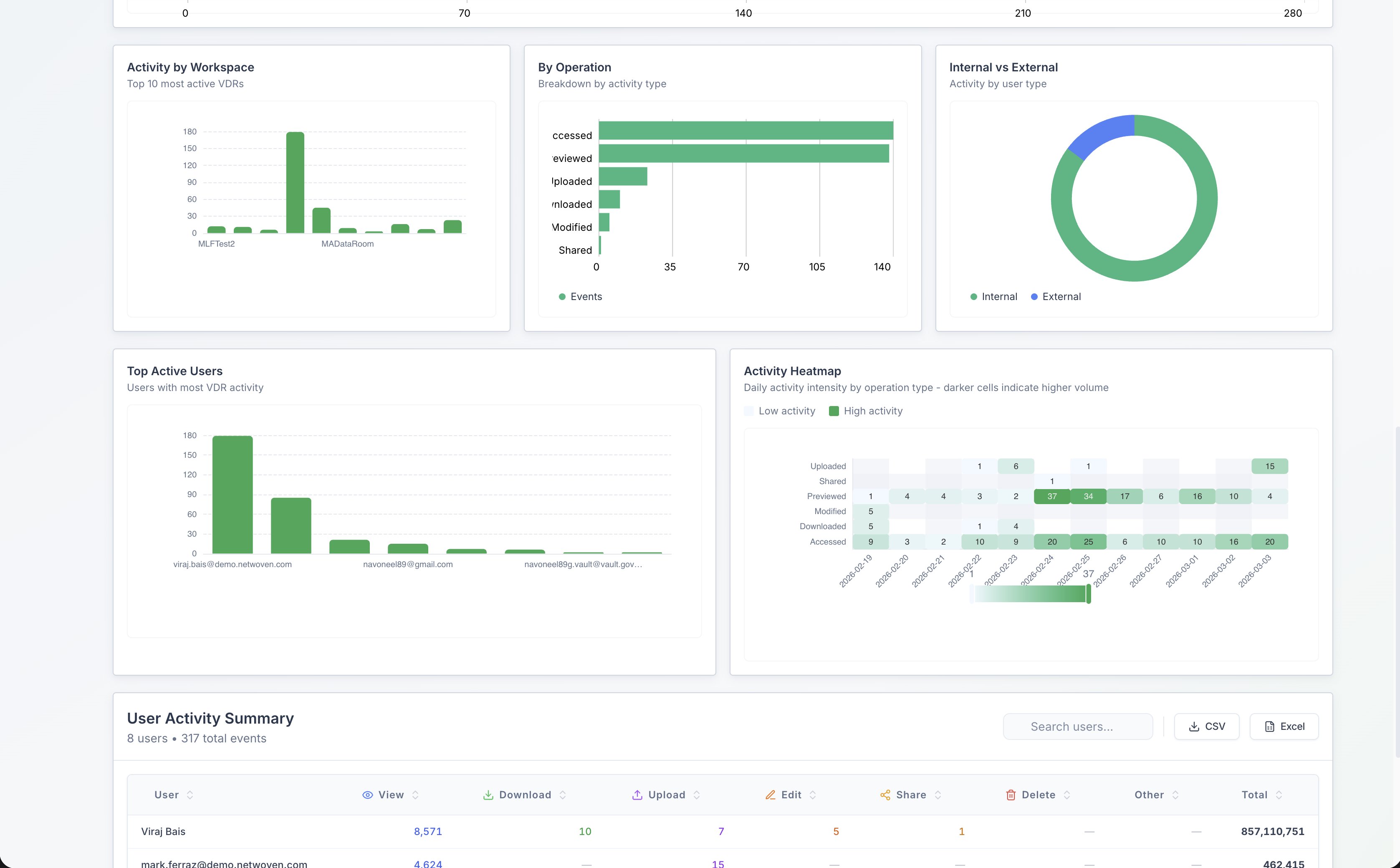
Export logs, heatmaps, evidence. Archive when the deal closes — tamper-evident packages.
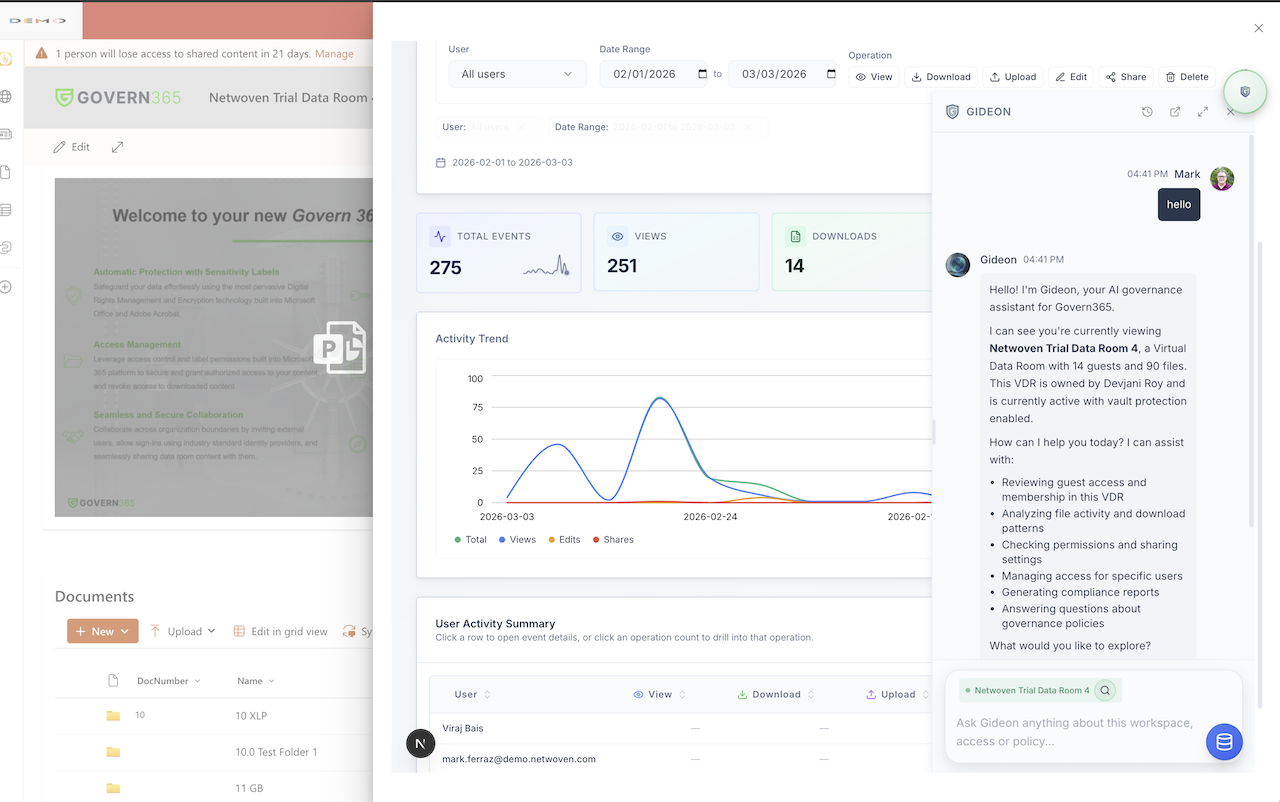
Manage Data Rooms in SharePoint
Configure rooms, set permissions, and invite guests — all from within your existing SharePoint site. No separate admin portal. Native Microsoft 365 experience.
Use Cases
Industry & Use-Case Workflows
M&A Due Diligence
Request rooms → configure structure → invite buyers → Q&A routing → post-close archival.
Legal Proceedings
Discovery workflows, counsel access controls, privilege marking, chain-of-custody evidence.
Board Materials
Recurring packet distribution, role-based access, recertification reminders, secure voting.
Life Sciences / Clinical
Regulatory submission workflows, clinical trial docs, tamper-evident archival for compliance.
Key Capabilities
Secure Guest Portal
Guests access via invite link with OTP authentication — no password, no O365 license. Custom branding per data room (logo, colors). Works in browser; no app install.
Permission Management
Folder-level control: view-only, view+download, or restricted. Role-based access groups with inheritance controls. Bulk invite guests and set permissions at scale.
Security Controls
Watermark every PDF with user email + timestamp on each page. Disable downloads per folder. Print disabled in secure viewer. View-only mode with no file export.
Activity & Audit
Real-time feed: who viewed what, when. Access heatmaps and engagement analytics. Exportable audit logs — every access, download attempt, and login timestamped.
Microsoft Purview Integration
Sensitivity labels and DRM encryption applied to content. Labels drive access rules — Confidential, Highly Confidential. Your existing Purview policies travel with the data room.
Due Diligence Q&A
Structured Q&A for deals: buyers submit questions, sellers assign to experts, answers flow through approval. All tracked and searchable — no questions lost in email.
Guest Experience
External guests see a clean, branded portal. No clutter, no O365 login.
Activity & Visibility
See who accessed what, when. Heatmaps, download velocity, and exportable audit logs.
How We Compare
Ready for secure collaboration without compromise?
See how Govern 365 Vault transforms external collaboration.
Schedule a Demo